 SPAN
SPANFocus timer for iPhone
Protect your
attention span.
Say what’s on your mind and get a clean task list. Then do one thing at a time, with a quiet timer that lives on your Lock Screen.
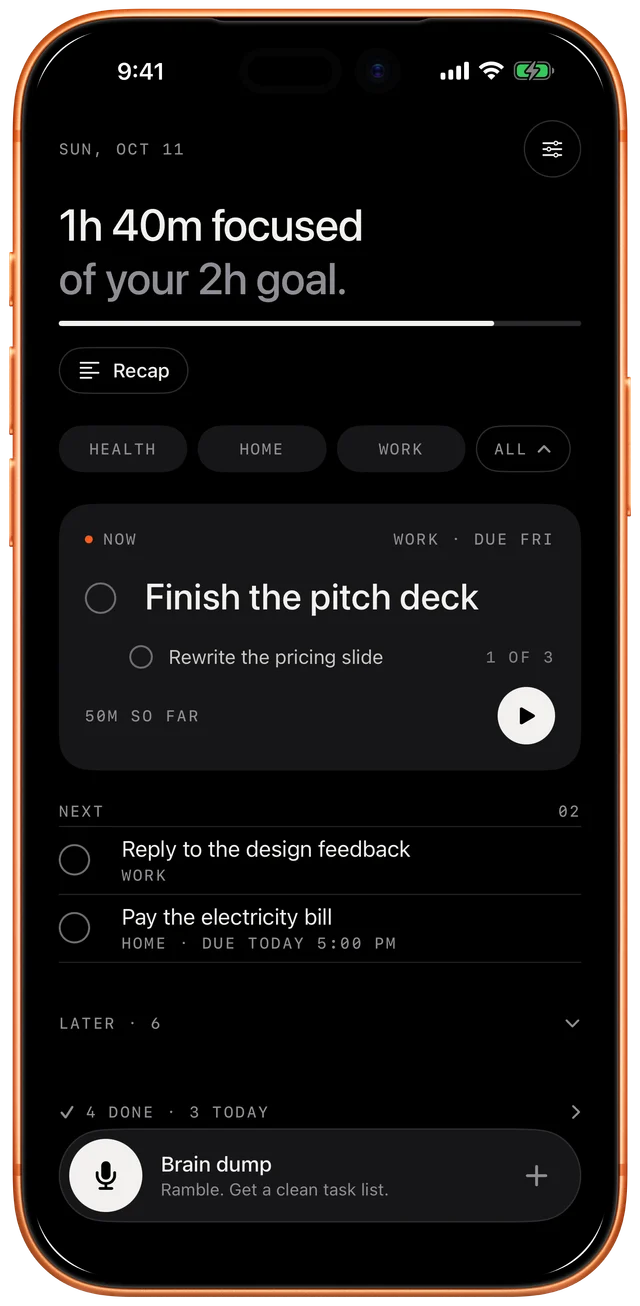
01 · Capture
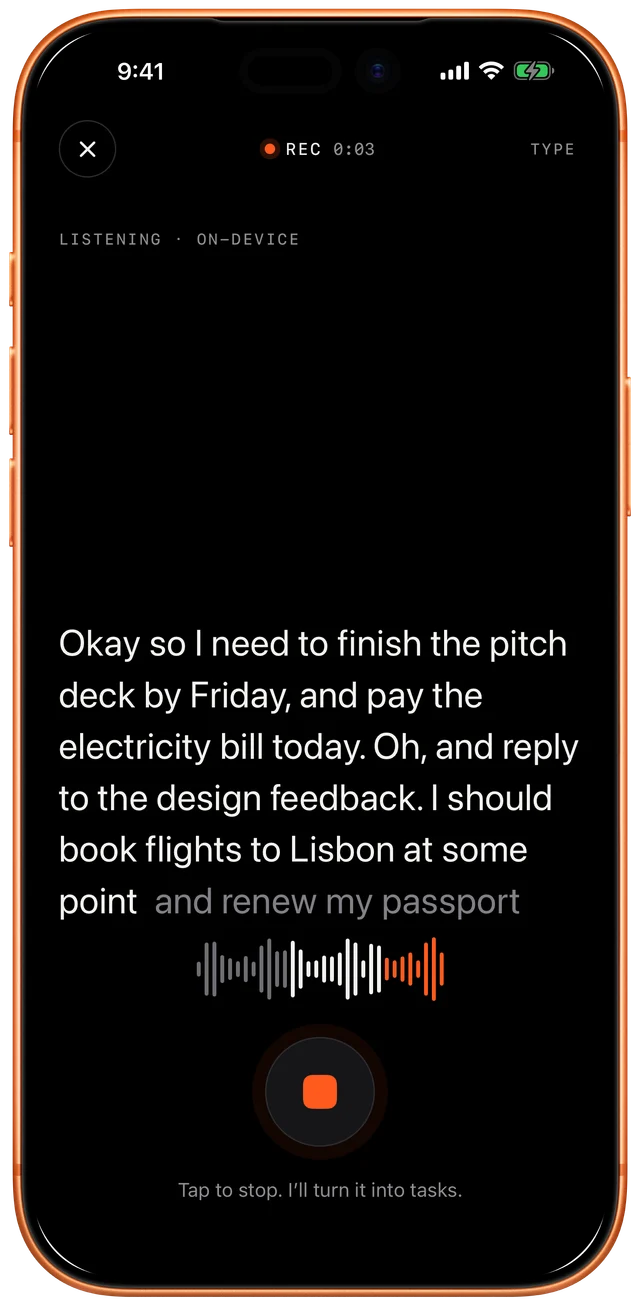
Too much in your head?
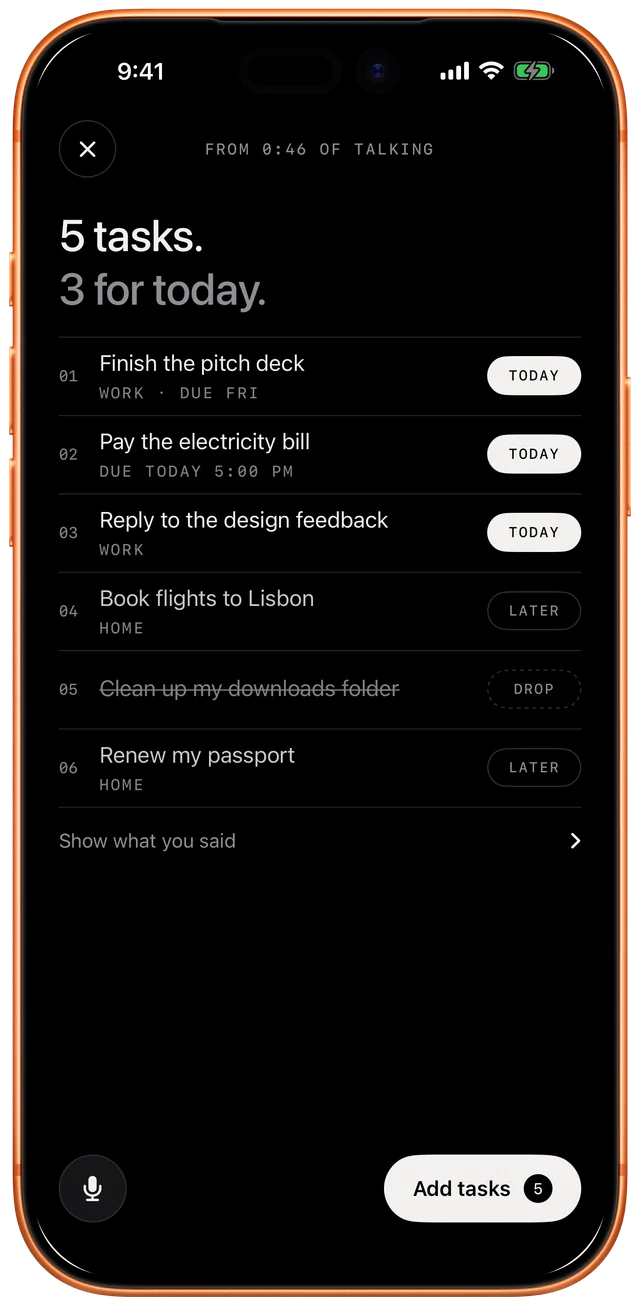
Tap the mic and ramble about everything you need to do. SPAN turns it into a short, clean list, with days, times and folders picked out. Keep what matters today, push the rest to later, drop what doesn’t.
- “Add a task in SPAN”
- Control Center
- Action Button
- Type it how you’d say it
02 · Focus
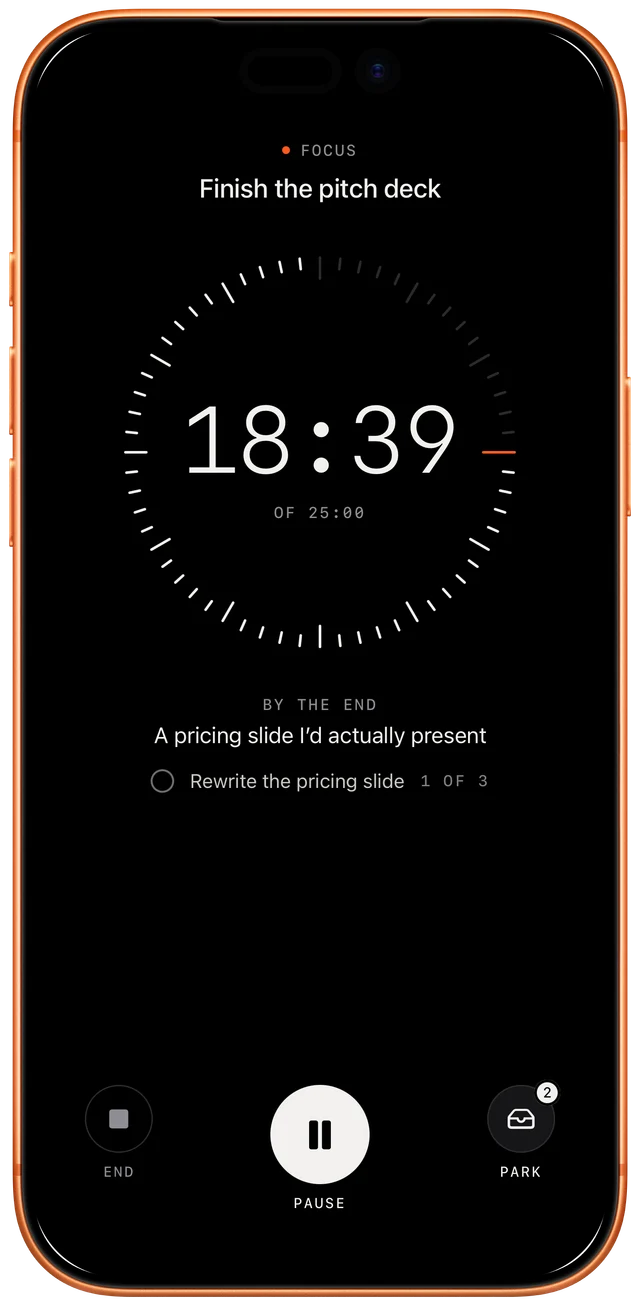
One thing, with a quiet timer.
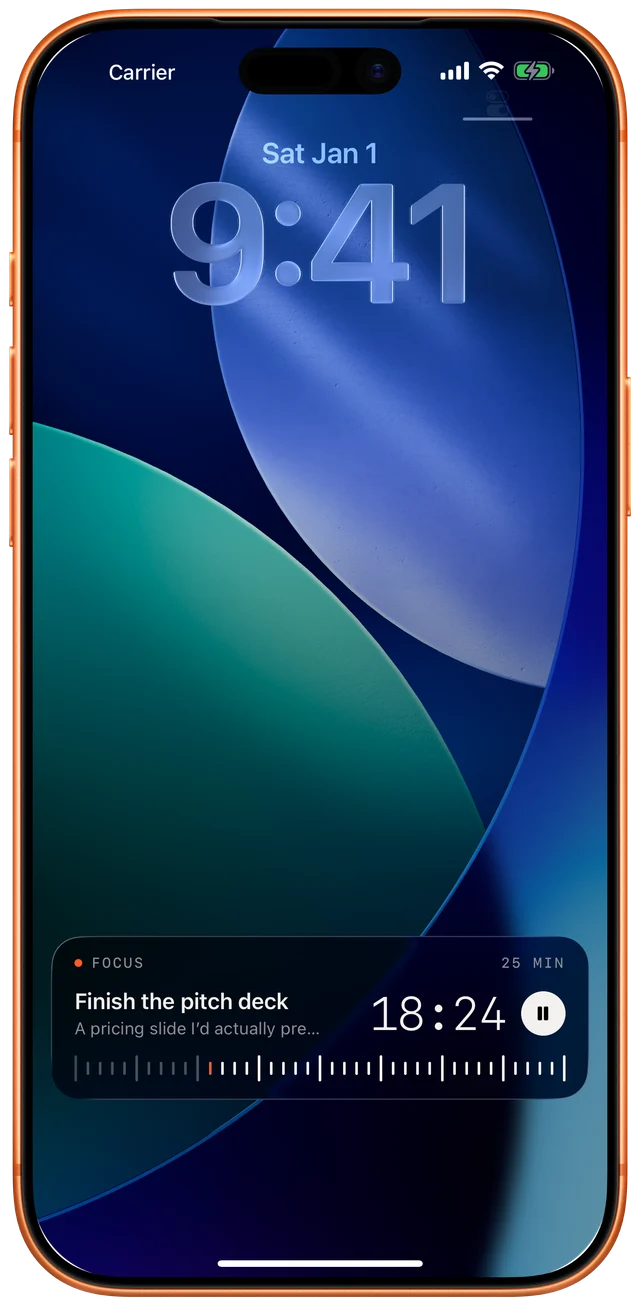
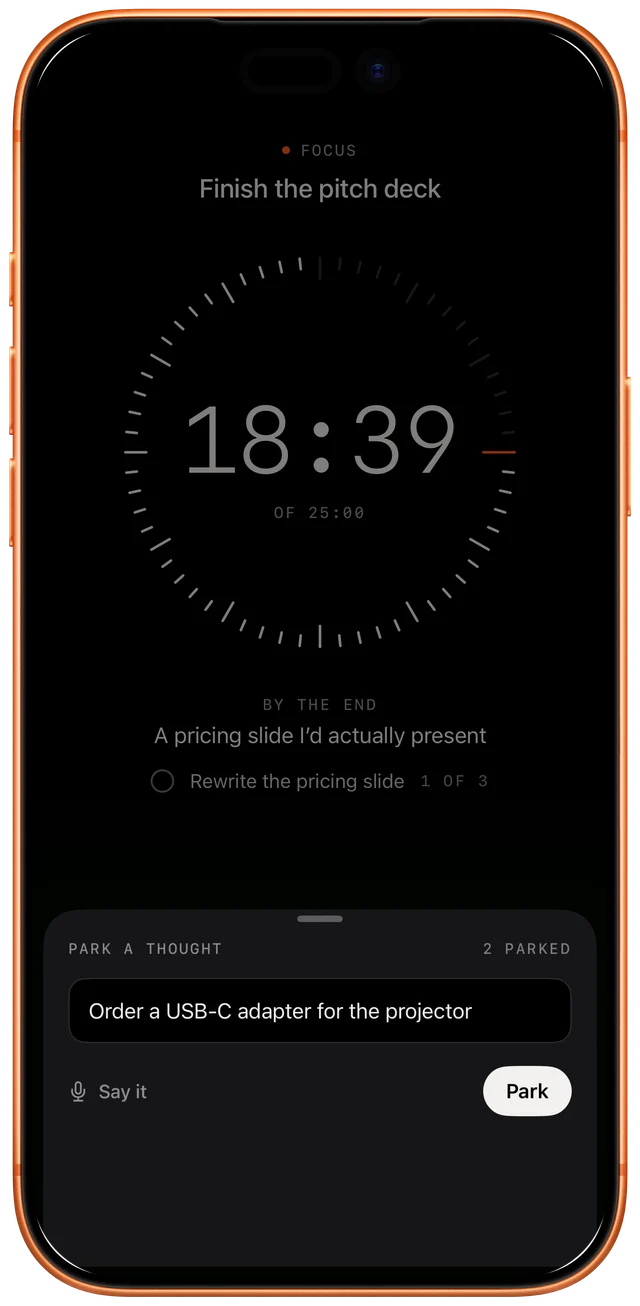
Pick 25, 50 or 90 minutes and say what you’ll have by the end. The timer lives on your Lock Screen and in the Dynamic Island, so you can put your phone down. Remembered something? Park it and get back to work.
03 · Check in
Then take a break.
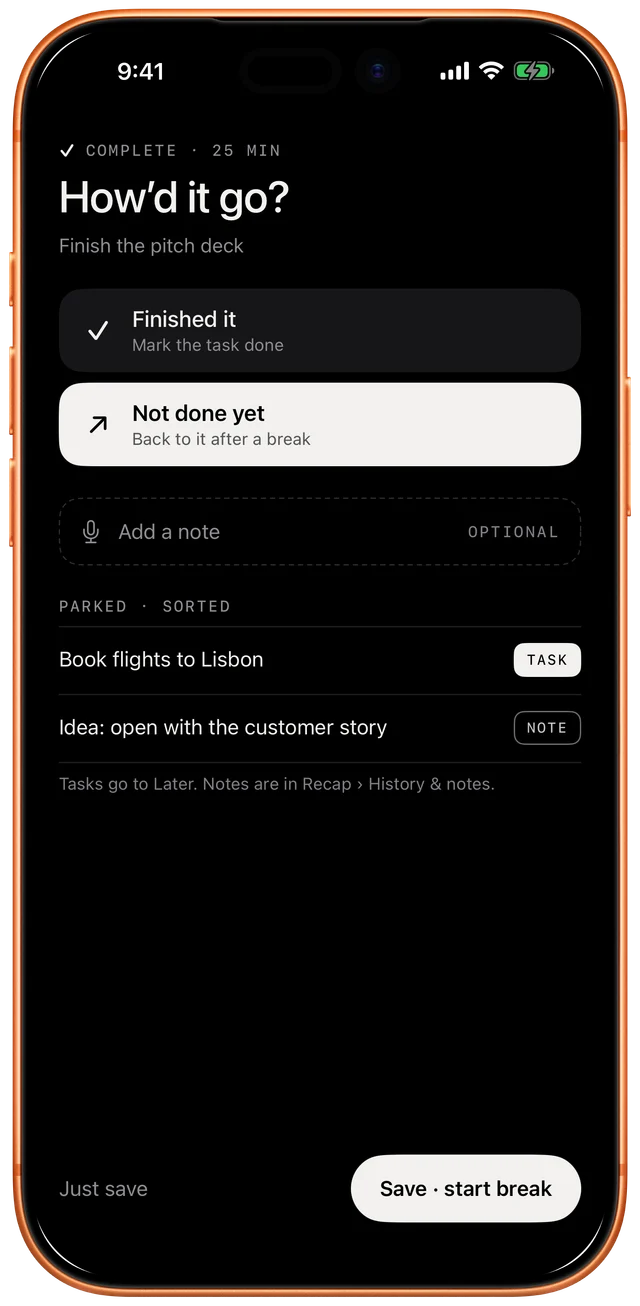
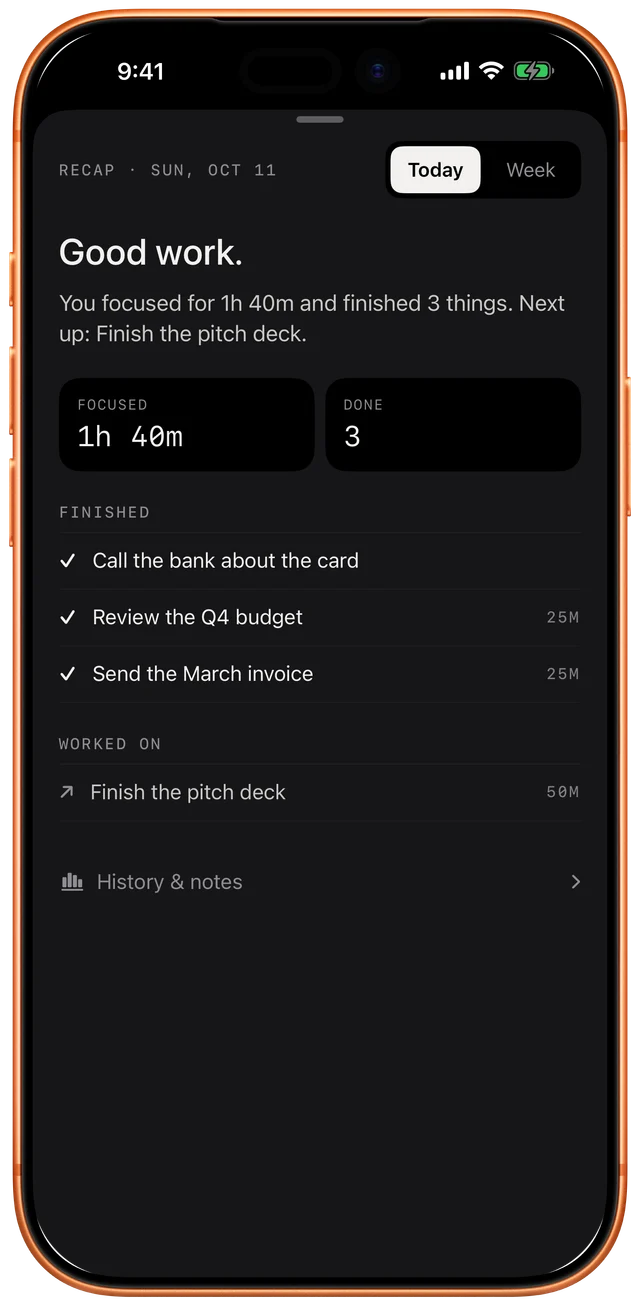
When time’s up: finished it, or not done yet. One tap. Take a short break, and keep going when you’re ready. A short recap shows where your day or week went, written from what you actually did.
Private by design
Your thoughts stay on your phone.
The AI runs on your iPhone with Apple Intelligence. Your voice, tasks and notes never leave it.
- No account
- No tracking
- Works offline